Project Fair Go
Teachers spend two hours preparing for every lesson they teach.
The Alannah & Madeline Foundation's eSmart program supports schools in building safer, more inclusive digital environments. Their existing platform offers a library of lesson plans for educators working with students with diverse and complex learning needs. The problem was that the lesson plans themselves were only half the job. Finding, adapting, and creating the actual classroom resources to deliver those lessons was taking teachers up to two hours of preparation time per topic, time that was coming directly out of their ability to teach. AMF called the initiative Project Fair Go. I led the UX strategy, research, and design to bring it to life.
The lesson plan isn't the problem.
Across Australia's 531 special schools and developmental settings, more than one million students (over 25% of all school enrolments) receive educational adjustments for disability or complex learning needs. For these students, standard curriculum resources simply don't work without heavy adaptation.
Teachers working in these classrooms face a heavy preparation workload that most people outside education never see. For every single topic, a teacher must create multiple versions of a resource, scaled for varied cognitive levels, sensory needs, and communication systems like Grid, PODD, and LAMP. Visual materials must be manually sourced, vocabulary mapped, and physical sorting cards printed, laminated, and cut.
The Alannah & Madeline Foundation's eSmart platform already offered high-quality online safety lesson plans. But without setting-specific resources, teachers were spending up to two hours preparing for every lesson. Out of desperation, some were turning to consumer AI tools ("Shadow AI") like ChatGPT, which lacked child safety guardrails, privacy protections, or specialist education frameworks. AMF launched Project Fair Go to fix this, and I led the UX strategy, research, and MVP design.
Hearing it from the teachers.
Before any design work began, we ran co-design workshops with educators from five specialist schools to map their daily planning workflows. Six educators walked us through their real preparation routines, revealing a key insight that reshaped the project brief.
The single biggest time drain wasn't adapting the lesson plan structure. It was manually creating the accompanying classroom materials: finding non-figurative videos, building visual slide decks, crafting tactile sorting cards, and mapping vocabulary across augmentative and alternative communication (AAC) devices used by non-verbal students. The lesson plan provided a good starting point, but teachers still needed to invest hours of manual effort to make it useful.
To bridge these research findings with technical implementation, I created a future-state Service Blueprint. The blueprint documented the end-to-end educator journey, establishing system guardrails, safety checkpoints, and mandatory human intervention points prior to any classroom delivery.
"It's too hard to continually adapt everything. I wish people would develop resources for specialist schools rather than us having to take steps to continually adapt." Specialist Educator, Co-Design Workshop
Designing with guardrails.
The research gave us a clear direction: a purpose-built AI tool that ingests base lessons from the eSmart library and generates adapted, classroom-ready resources tailored to a teacher's specific class profile.
We approached the design through the lens of the "curb-cut effect", the principle that designing for extreme accessibility (such as wheelchair ramps) creates systemic improvements that benefit all users. In the same way, building AI adaptation controls for complex specialist settings creates a fair, robust foundation that can eventually scale to mainstream education nationwide.
The UI design enforced strict ethical and operational guardrails: student data had to be completely de-identified before processing; generated content had to avoid figurative language or idioms that could confuse neurodivergent students; American spelling and foreign cultural references were explicitly filtered out; and the AI defaulted to concise layouts to prevent cognitive overload for both students and time-poor teachers.
"This is infrastructure for fairness, not just an AI tool."
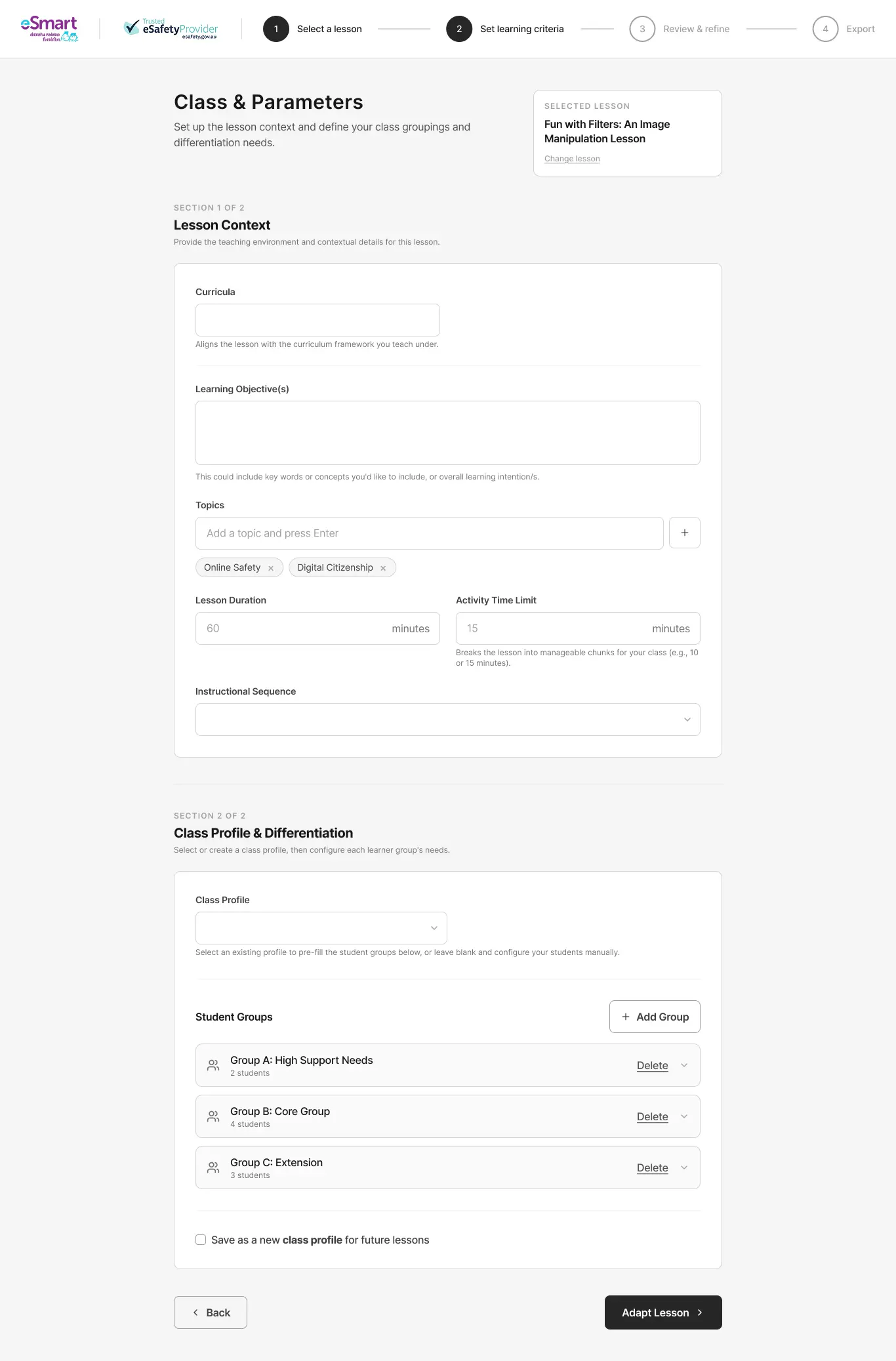
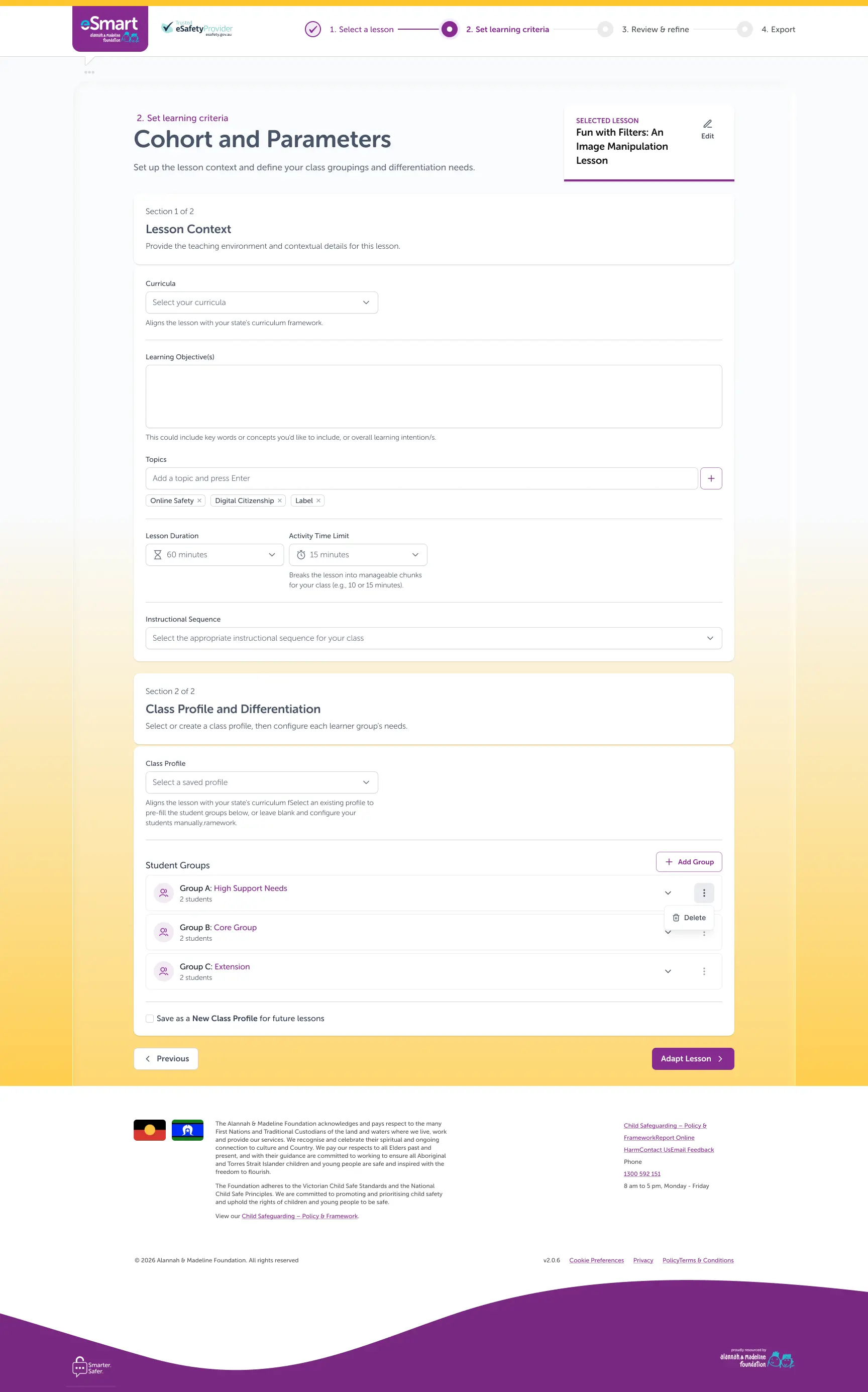
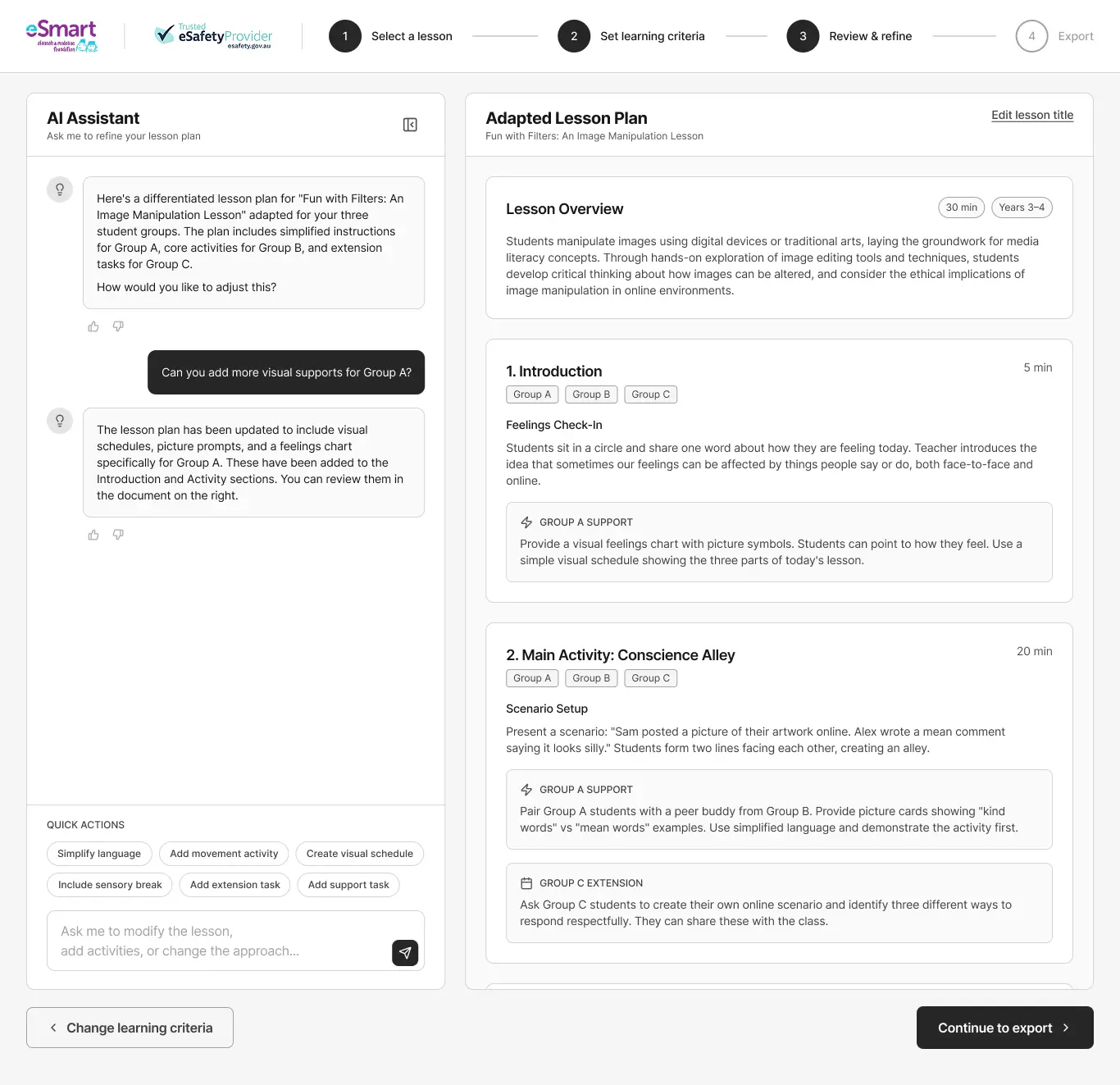
- Select Lesson: Choose a base lesson from the eSmart catalog.
- Set Parameters: Define IEP goals, AAC tools & sensory needs.
- Review & Refine: Inspect AI outputs with teacher oversight.
- Export: Download slides & printable materials.
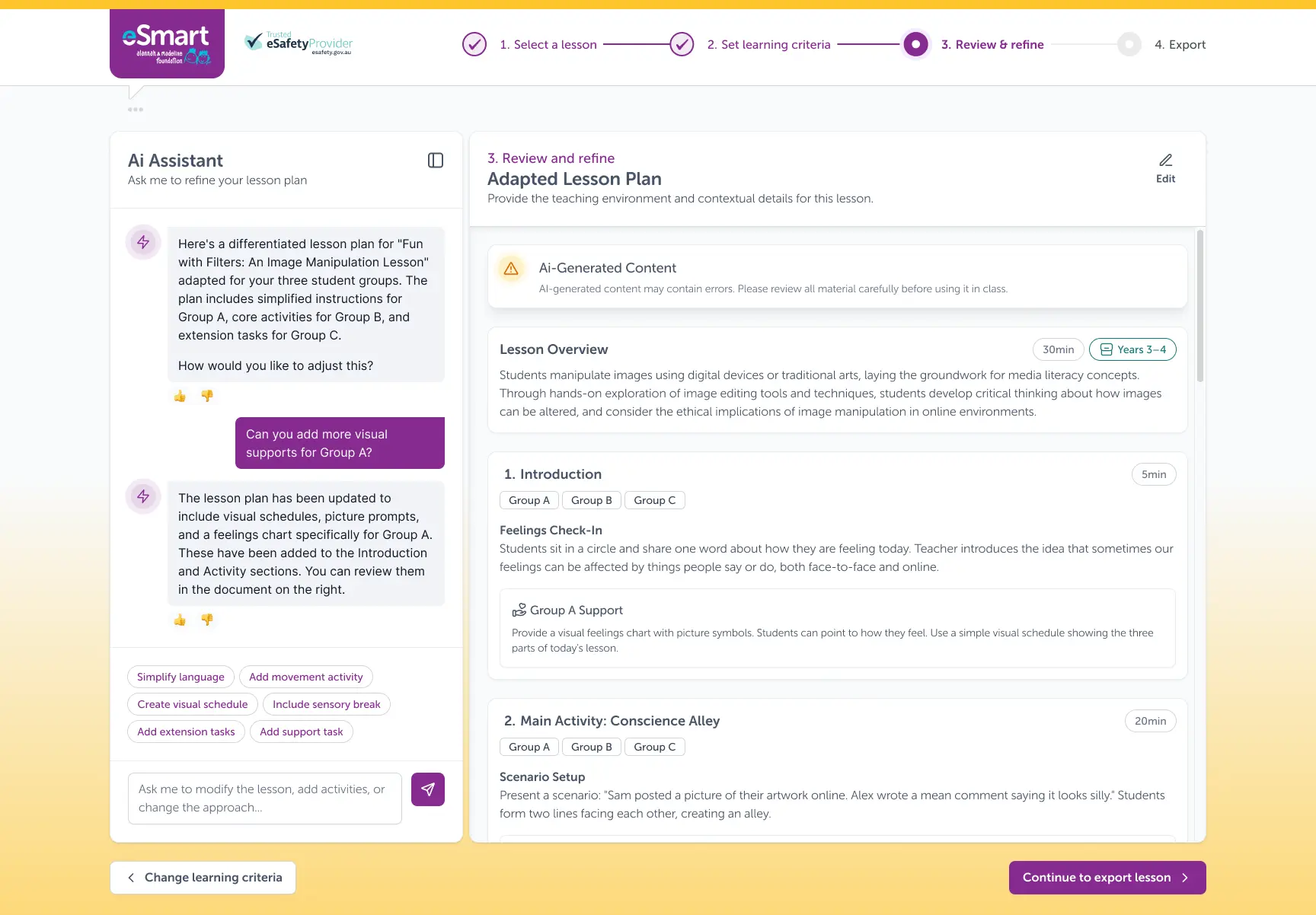
The right problem, solved.
The discovery research and co-design workshops proved that the original assumption (that educators just needed better lesson plans) was incomplete. The true bottleneck was resource creation. That pivot directly shaped the MVP strategy, ensuring the design solved what teachers actually needed on the ground.
The co-design workshops confirmed that resource creation, not lesson structure, was the primary time sink. This core finding redefined the scope of the project from static lesson plan templates to an intelligent, parameter-driven resource generator.
The future-state service blueprint and UI design system provided the complete architectural foundation for development. The resulting Azure-hosted MVP gives educators the ability to generate adapted, classroom-ready resources in minutes rather than hours.
Rather than generic AI outputs, every UI decision enforced child safeguarding and pedagogical integrity. The design mandates human-in-the-loop review, flags content requiring teacher approval, and preserves AMF's core learning intentions.
Keep reading.
National One Stop Shop
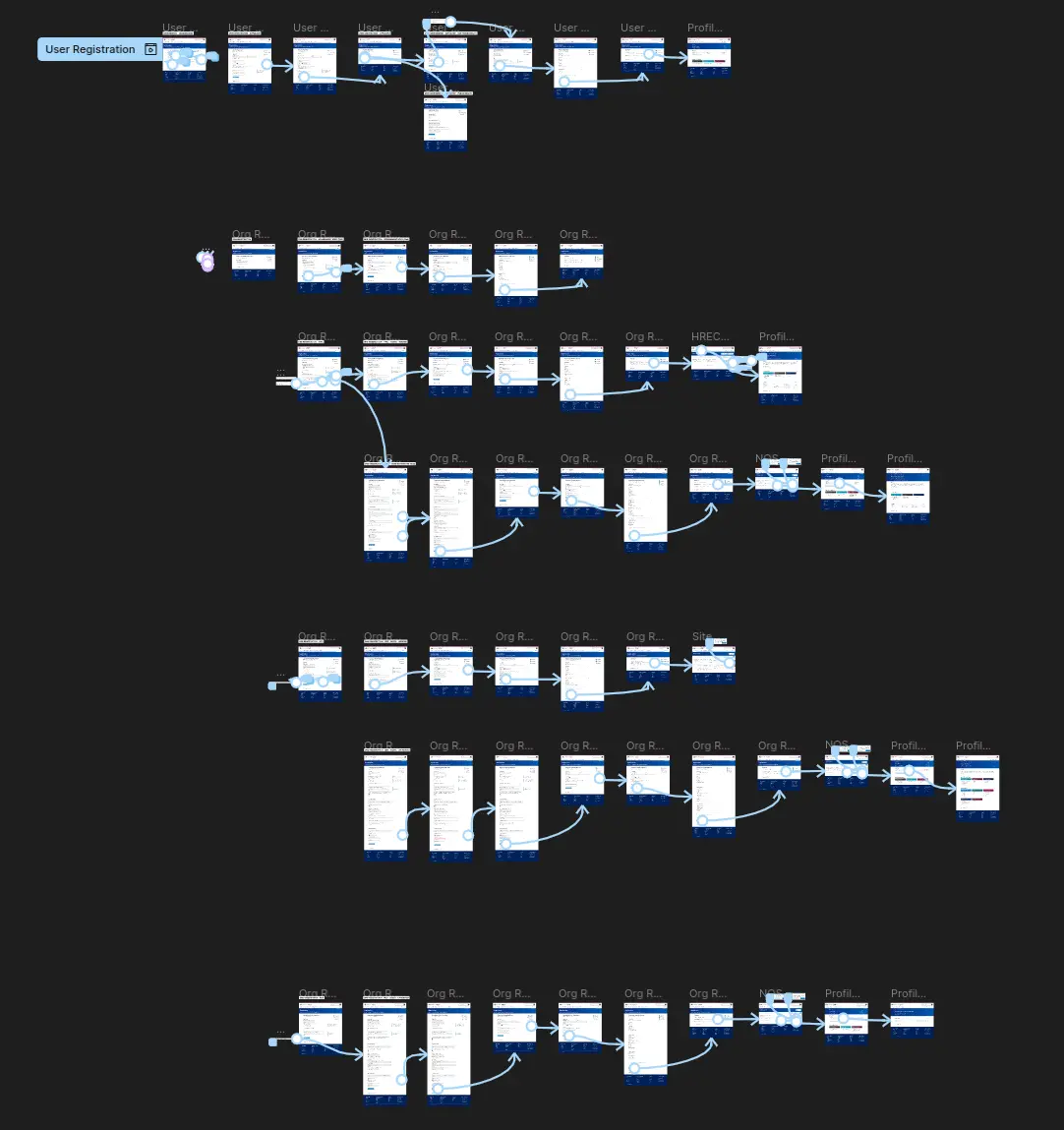
Clinical trials in Australia run across eight different regulatory systems. I led the UX design of a Federal initiative to consolidate all of it into a single national platform.
Read the case study →Assisted School Travel Program
 NSW Department of Education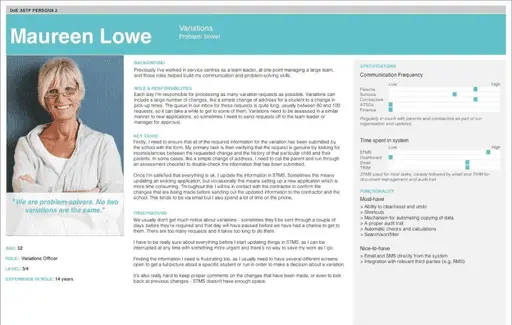
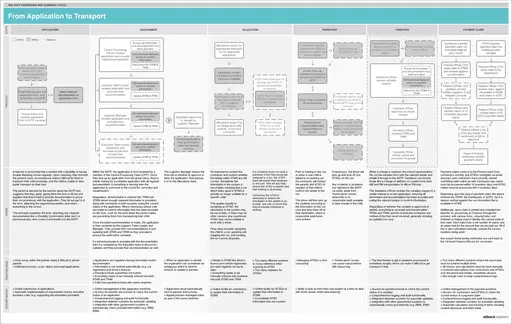
Staff coordinating transport for students with disabilities were working across multiple systems that didn't talk to each other, and the seven-second workflow that replaced two-and-a-half minutes of manual work.
Read the case study →